UTM Links
The Right Way to Set Up UTM Tracking (And Why Most People Get It Wrong)
UTM tags tell you which marketing drove the sale. Here is how to set them up right, the mistakes that wreck your data, and a free tool to do it for you.
If you have ever looked at a Google Analytics report and tried to figure out where your website traffic actually came from, you have probably been let down. Half of it gets lumped into "direct," another chunk into "organic," and the rest is a mess of referral sources that tell you almost nothing useful.
The fix is UTM tracking. It is one of the simplest, most powerful tools in marketing, and almost everyone uses it wrong.
Here is how UTM tags work, how to set them up properly, and the mistakes that make most companies' tracking data useless. We also built a free UTM link generator that handles the formatting for you, so you can stop fighting with parameters and start actually tagging your links.
What UTM Tags Actually Are
UTM stands for Urchin Tracking Module, named after the analytics company Google bought back in 2005. The name does not matter. What matters is what they do.
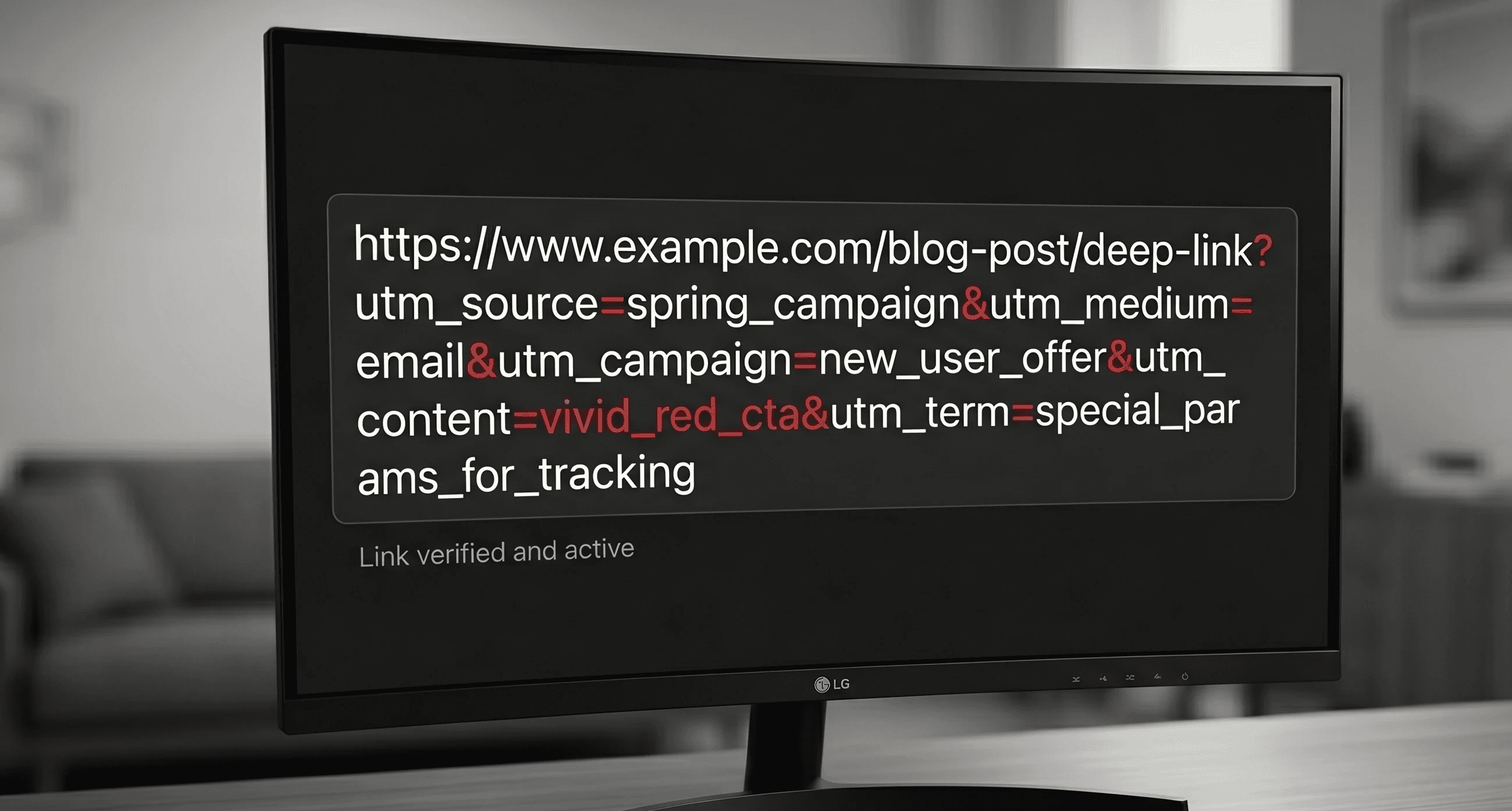
A UTM tag is a small piece of text added to the end of a URL that tells your analytics tool where the traffic came from. When someone clicks the tagged link, Google Analytics (or whatever tool you use) reads the tag and records the source automatically.
A tagged URL looks like this:
Without the tags, that visit shows up as "Facebook referral" or worse, "direct." With the tags, you know exactly which campaign sent them, which platform they came from, and what the traffic was meant to accomplish.
The Five UTM Parameters
There are five UTM parameters you can use. Most people only need three of them.
utm_source tells you where the traffic came from. Facebook, Google, an email newsletter, a partner site. This is the actual platform or domain.
utm_medium tells you the type of channel. Social, email, cpc (paid ads), referral, organic. This is the bucket the traffic falls into.
utm_campaign tells you which specific campaign drove the visit. Spring promo, product launch, holiday sale. This is the name you give the marketing effort.
utm_term is for paid search keyword tracking. If you are running Google Ads, this is mostly handled automatically by auto-tagging, so you usually do not need to set it manually.
utm_content is for differentiating between two versions of the same campaign. If you have two Facebook ads pointing to the same page, utm_content lets you tell them apart. Useful for A/B testing, optional otherwise.
For most small businesses, source, medium, and campaign are the only three you actually need.
Why Most People Get It Wrong
UTM tracking is simple in theory and a disaster in practice. Here are the mistakes that wreck your data.
Inconsistent capitalization. Google Analytics treats "Facebook" and "facebook" as two different sources. If half your campaigns use one and half use the other, your reports will split the same source into two rows. Pick lowercase, stick with it forever.
Spaces in tag values. Spaces break URLs and get encoded into ugly characters that may or may not work. Use underscores or dashes instead. "spring_promo" works. "spring promo" does not.
Random campaign names. "summer," "summer_sale," "summersale," "summer-sale-2026," and "Summer 2026 Promo" are all the same campaign in your head and five different campaigns in your analytics. Decide on a naming convention before you tag a single link.
Tagging internal links. This is the worst one. If you put UTM tags on links between pages on your own site, you reset the visitor's session and overwrite the original source. The visitor came from a Google ad, but now your analytics thinks they came from your own homepage. Never tag internal links.
Tagging organic traffic. Same problem. If you put UTM tags on a Google search result, you are telling your analytics that an organic visit was actually a paid campaign. UTMs are for outbound marketing efforts you control, not for traffic that finds you naturally.
Setting up tags differently for every campaign. If your social manager uses one naming structure and your email manager uses another, comparing campaigns becomes impossible. One person owns the structure, or it falls apart.
A Naming Convention That Actually Works
Here is the simplest convention we recommend for small businesses:
Source: lowercase, the actual platform name. facebook, instagram, google, mailchimp, linkedin.
Medium: lowercase, one of these standard buckets. social, email, cpc, referral, display, video.
Campaign: lowercase, descriptive, dated if useful. spring_sale_2026, new_service_launch, holiday_promo.
So a Facebook ad for your spring sale would be tagged like this:
An email blast about the same sale would be:
Notice that the campaign name is the same across both. That lets you see total traffic from the spring sale across every channel, then drill down by source to see which channel actually performed.
Use Our Free UTM Link Generator
You do not need to build UTM URLs by hand. AdVantage built a free UTM link generator that handles the cleanup for you.
Plug in your URL, source, medium, and campaign name. The tool auto-lowercases your inputs, replaces spaces with underscores, and warns you if your URL is missing the https:// prefix. It outputs a clean tagged link you can copy with one click.
A few things it does that Google's URL builder does not:
Forces consistency. Source, campaign, term, and content fields all get auto-cleaned the moment you type. No more half-uppercase Facebook entries breaking your reports.
Medium is a dropdown, not free text. Locks the most-abused field to the standard values, so your data stays comparable across campaigns.
Validates your URL. Catches the missing protocol mistake that produces broken links half the time.
Optional fields are tucked away. Term and content are hidden by default since most small businesses do not need them.
Try the AdVantage UTM Link Generator
It takes about thirty seconds per link, and your analytics reports will be cleaner from the first click.
How to Read the Data Once It Is in There
Once your tags are clean and consistent, your analytics reports start telling you real stories.
In Google Analytics 4, head to Reports, then Acquisition, then Traffic Acquisition. The default view shows you sessions broken down by source and medium. Add campaign as a secondary dimension and you can see exactly which campaigns are driving traffic, conversions, and revenue.
The patterns to look for:
Which campaigns convert, not just click. A campaign with 5,000 sessions and 2 conversions is worse than a campaign with 500 sessions and 30 conversions, no matter how much traffic the first one looks like it generated.
Which channels punch above their weight. Email often has the highest conversion rate. Paid social often has the highest volume. Organic often has the highest lifetime value. Knowing the role each channel plays helps you decide where to spend the next dollar.
Where your direct traffic is hiding. If "direct" is one of your top sources, a chunk of that is almost certainly untagged campaigns. Find them and tag them.
The Bottom Line
UTM tracking is not glamorous. It is data hygiene. But it is the difference between knowing what is working in your marketing and guessing.
Pick a naming convention. Tag every outbound link you control. Never tag internal links. Review your analytics monthly and look at campaigns, not just sessions.
If your reports already feel like a black box, the problem is almost never the analytics tool. It is the data going in.
If you want help setting up clean UTM tracking, auditing what is broken, or building a template your team will actually use, AdVantage works with businesses across Utah, Idaho, and beyond on this kind of measurement work. Reach out anytime.